




A/V Specs
A/V Specs
General Video Specs & Guidelines
- All available media along with updates will be provided.
- Always use the latest media sent, and replace earlier versions of episodes received.
- Do not change any frame rates or naming conventions of any media files sent to you.
- If media needs a frame rate conversion, we will do it before sending to you.
- We try to have as much as 23.98 source material as possible, but you could be on a project that has other frame rates.
- You should be able to handle multiple frame rates without needing to convert them.
Working with shows cut in 25fps (PAL)
- For all finished masters, we will send media already cut in 23.98.
- If you receive 25fps show material, it generally means that the content is either unfinished or low-res. Maintain the 25fps timecode to be able to discuss shots with the show's Post Production team.
- Please do not convert any media frame rates yourself. Reach out to HBOMax_Brand_Team@wbd.com with any questions.
A shot request is the process of obtaining high-resolution, color-corrected, and VFX-completed shots for finalizing and delivering your promo. Even if you are not finishing the spot, your WBD contact may ask you to prepare a shot request, so please note the following procedures.
Working with Shows Cut in 25fps (PAL)
- Please contact your WBD contact early to discuss when updated media is scheduled to arrive so that we can help you strategize your request.
- Please make sure you have overcut with all the latest media.
- When preparing your shot request, it is important to remove high-res material already received and only include shots still needed.
- Please talk with your WBD contact about other spots in the works that may need shots from the same show.
- We must consolidate requests to Post and avoid asking for duplicate shots.
Shot Request Requirements
- Written request of the shots you want (EDL or Excel spreadsheet), which will include the source filename and timecode for each shot.
- If the Post team has included filenames and/or timecodes as visual burn-ins, please provide that information in your EDL or Excel spreadsheet.
- A QuickTime stringout containing all the shots needed for the delivery date. Before exporting, remove any video effects, graphics, and transitions.
- A QuickTime reference of the spot if you prefer but not required.
- All components should be included in a password-protected, downloadable link and shared with your WBD contact.
Licensing
- If you need to license any footage, please prioritize searching through Adobe Stock, Getty, Shutterstock, and Pond5. However, do not license the footage yourself. Instead, provide your WBD contact with the shot IDs and links, and we will handle the licensing and send the high-resolution files to you.
23.98 or 59.94 Are Acceptable
- If 100% of your footage is 59.94, please work in a 59.94 project.
- Timecode should be Drop Frame
- If 100% of your footage is 23.98, please work in a 23.98 project.
- If you are working with a mix of 23.98 and 59.94, please work in the frame rate of the majority of your footage.
- All spots SOM 1;00;00;00. EOM on an even second.
- Please confirm show footage aspect ratio with your MAV creative lead. Please download and use widescreen mattes (download button below) to ensure your sequence is uniform with the show’s native footage. Do not create your own mattes.
Video
- File Type
- ProRes 422 HQ codec in a Quicktime wrapper (.mov)
- Resolution
- 1920px wide x 1080px high
- Pixel aspect ratio: square
- Frame Rate
- Native to your project’s frame rate
- Color Space
- Y’CbCr Rec. 709 at video (or studio) range not full range
- Safety
- Standard 16x9: 93% action safety, 90% title safety
- Fully graded, VFX complete
- No slate, no black at top and tail, no two-pop
Note: Please download and use these widescreen mattes to ensure your sequence is uniform with the show’s native footage. Do not create your own mattes.
Audio
- Bit Rate
- 48khz, 24 bit, uncompressed
- Loudness
- Broadcast/HBO Max platform: reference level -20dBFS, HBO Max -2dBTP, program loudness -24LKFS +/- 2dB
- Web/social: reference level -20dBFS, HBO Max -1dBTP, program loudness: -18LKFS +/- 1dB
- Quality
- Audio from low-quality sources such as MP3, MP4, or AAC files cannot be used.
EE
- Video
- Include all graphics and text.
- All spots must end on an even second with no extra frames.
- Preferred Track Layout
- V1 = Video mixdown at highest quality
- A1/2 = Full stereo mix of version with NO tune-in VO
- A3/4 = Full stereo mix of version with NO tune-in VO (identical to 1/2)
- A5/6 = Full stereo mix of version with tune-in VO, if applicable. (If spot has no tune-in VO, omit these tracks.)
- Note: Tune-in VO refers to any announcement at the end of the spot (e.g., “House of the Dragon, streaming exclusively on HBO Max.”)
- Note: For theatrical promos, please consult your Operations contact regarding additional VO track layout details.
- Track Layout for 5.1 Audio Mix
- Please note that this layout should only be used if requested by your WBD contact. It is not our typical delivery spec.
- Channel 1, Left; Channel 2, Right; Channel 3, Center; Channel 4, LFE; Channel 5, Left Surround; Channel 6, Right Surround; Channel 7, Left Total; Channel 8, Right Total
- Naming convention: ShowTitle_PromoNameorEpisode#_EE.mov
Textless
- Video
- Include clean graphic backgrounds without text.
- All spots must end on an even second with no extra frames.
- Remove any blurs or other effects.
- Audio
- All audio tracks and/or segments must be flat at a level approximately equal to the loudest used in the mix.
- If you have no announce or narration, please move up track assignments.
- Preferred Track Layout
- V1 = Textless video mixdown (all video should be clean and minus effects elements)
- A1 = Stem/mixdown announce/narration (if not applicable, leave track blank)
- A2 = Stem/mixdown mono dialogue
- A3/4 = Stem/mixdown stereo production SFX or B-roll SOT
- A5/6 = Stem/mixdown stereo music
- A7/8 = Stem/mixdown stereo SFX
- Naming Convention: ShowTitle_PromoNameorEpisode#_TX.mov
VE
- Please deliver the following
- 1 AAF of all tracks of your sequence with no media attached.
- If you are an Avid facility, this can be a .bin (.avb) with your sequence inside.
- We do not need a consolidation of your media. Please only deliver the sequence shell of the finished spot, with no attached media.
- There may be elements from your sequence that we do not have (music, SFX, etc.). We may contact you to send those after we get a look at the sequence.
- Naming convention: ShowTitle_PromoNameorEpisode#_VE.aaf
VE
- Please deliver the following:
- 1 AAF of all tracks of your sequence with no media attached.
- If you are an Avid facility, this can be a .bin (.avb) with your sequence inside
- We do not need a consolidation of your media — please only deliver the sequence shell of the finished spot, with no attached media
- There may be elements from your sequence that we do not have (music, sfx, etc.) — we may contact you to send those after we get a look at the sequence
- Naming convention: ShowTitle_PromoNameOrEpisode#_VE.aaf
Audio Prep
- Embedded audio AAF in file, 3 sec handles
- Reference QT
- Naming convention: ShowTitle_PromoNameOrEpisode#_Audio.aaf
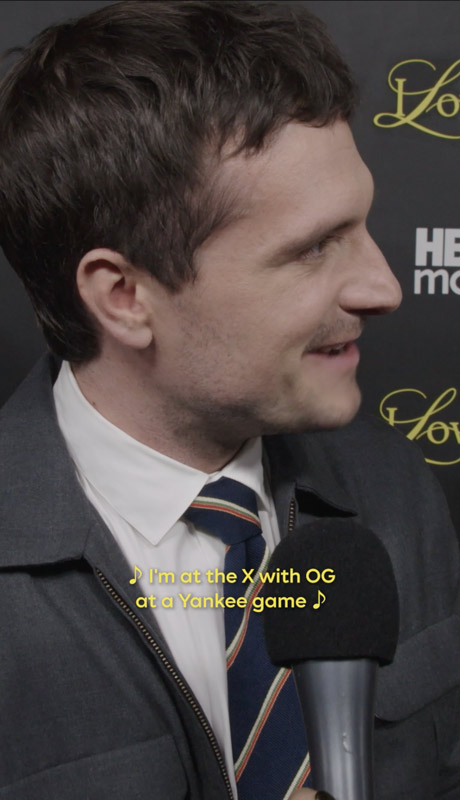
Digital / Social Video
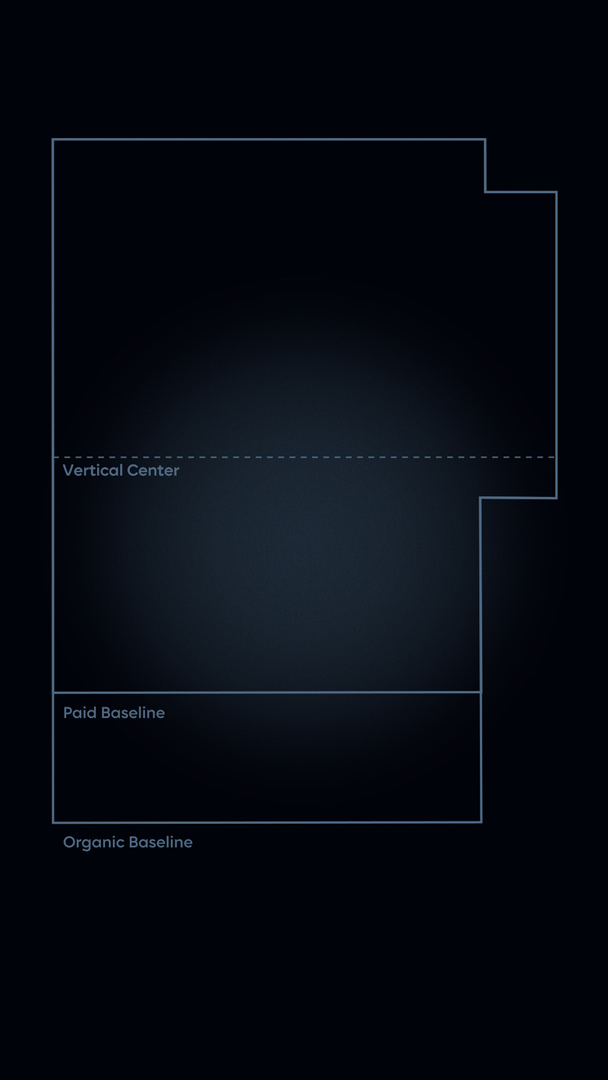
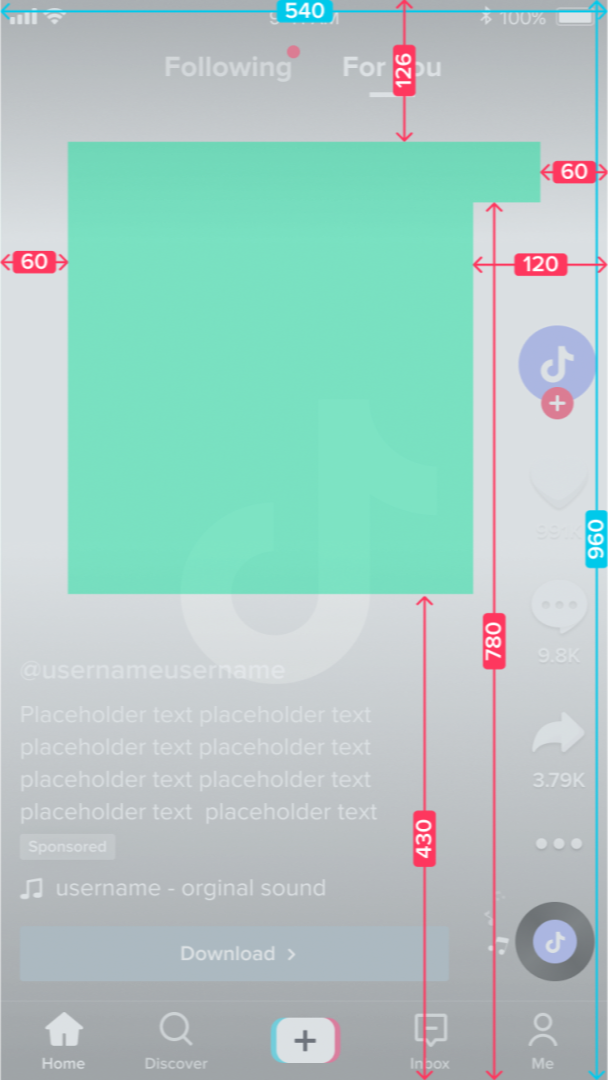
9x16 UI Safe Zones. This grid shows the baseline for both paid and organic 9x16 videos for all platforms.
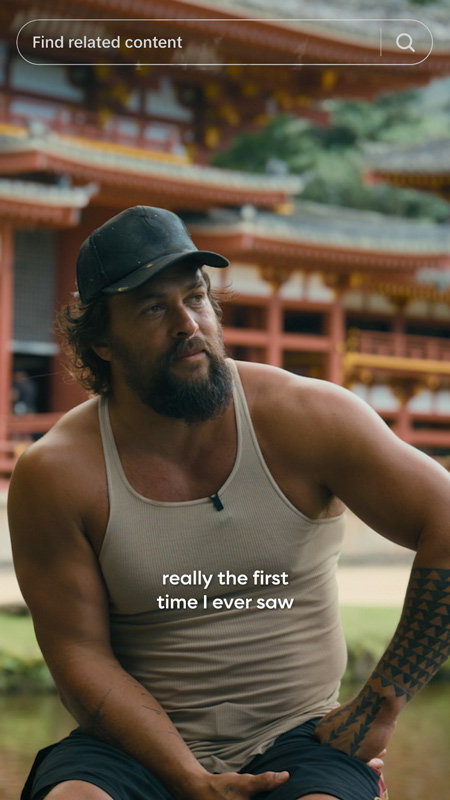
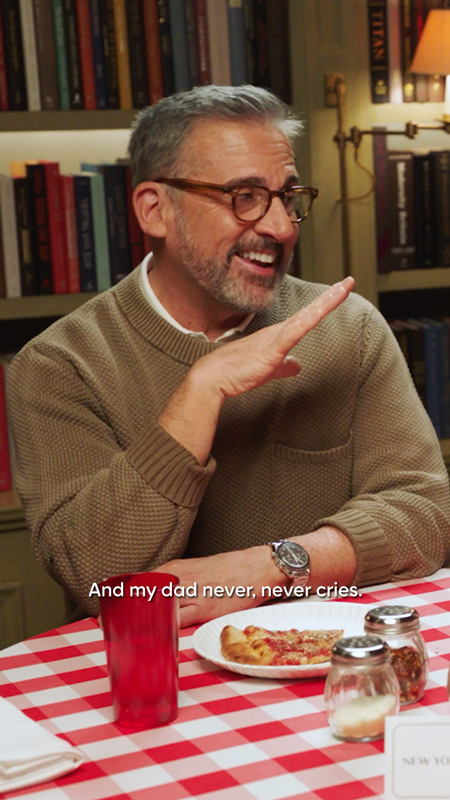
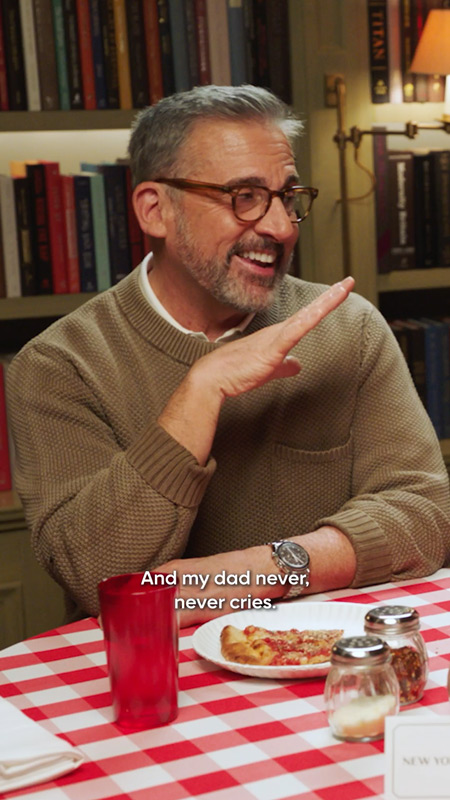
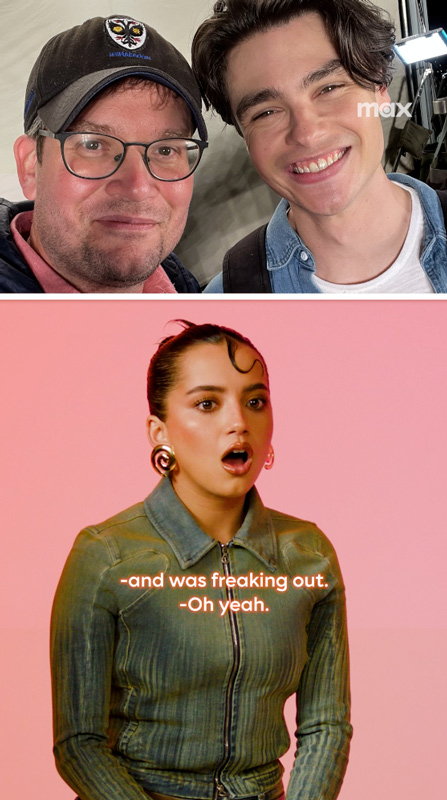
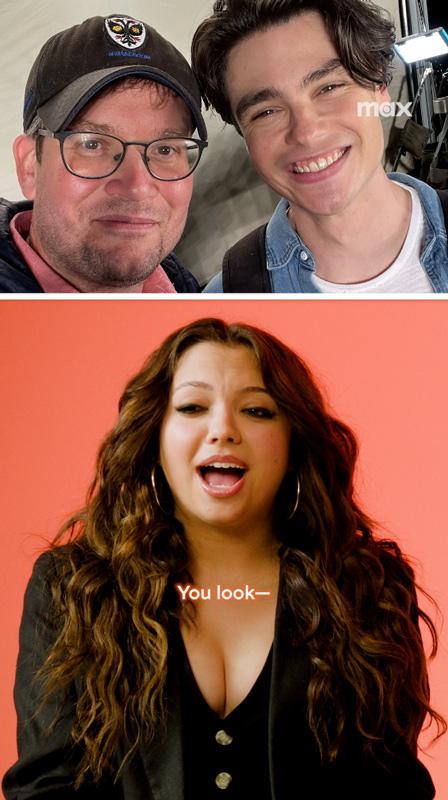
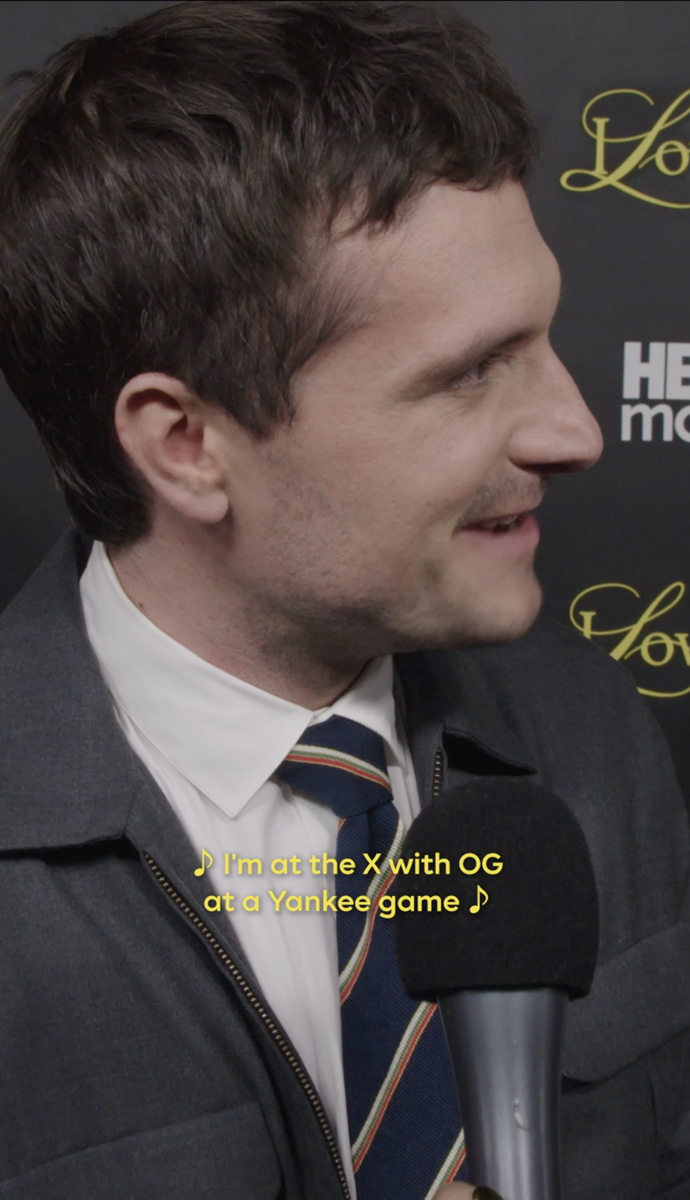
Standard Captioning
Closed captioning should be applied to all social video with dialogue, adhering to the following guidelines:
- Line length: Two lines maximum, 20 characters per line
- Font: Max Sans – Demi
- Size: 48 pt
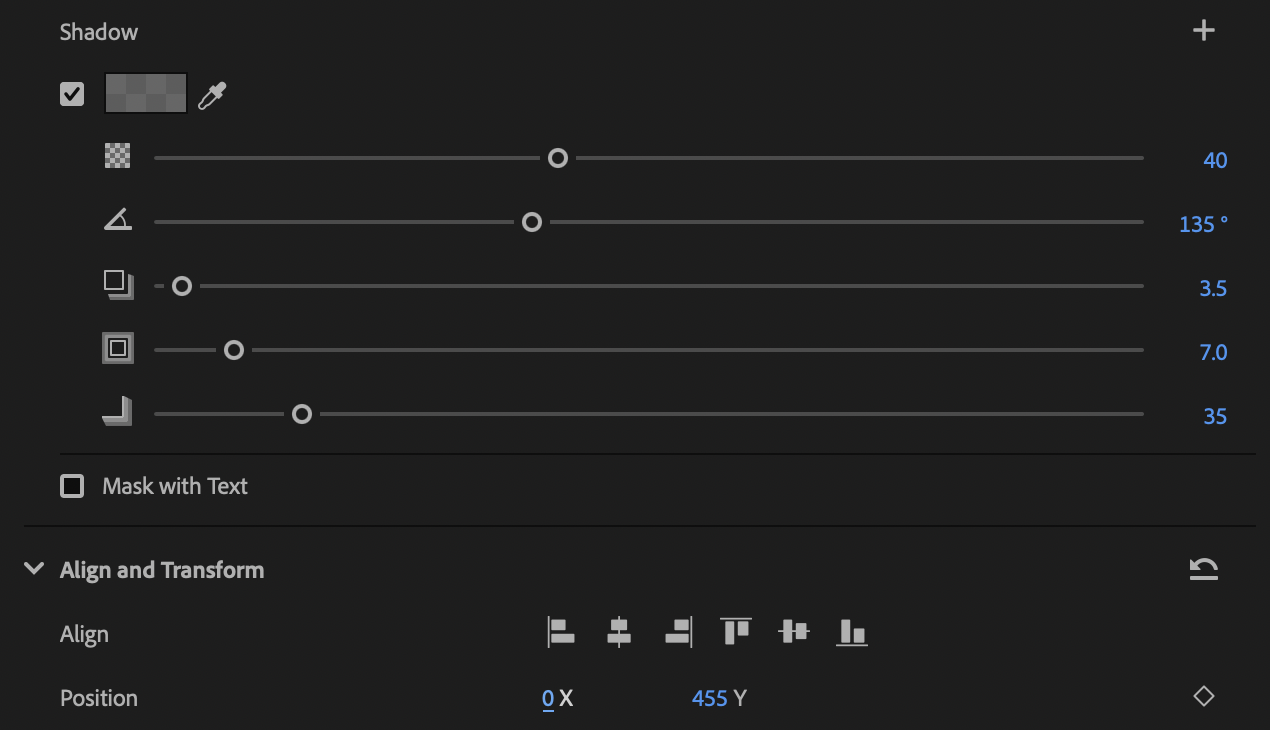
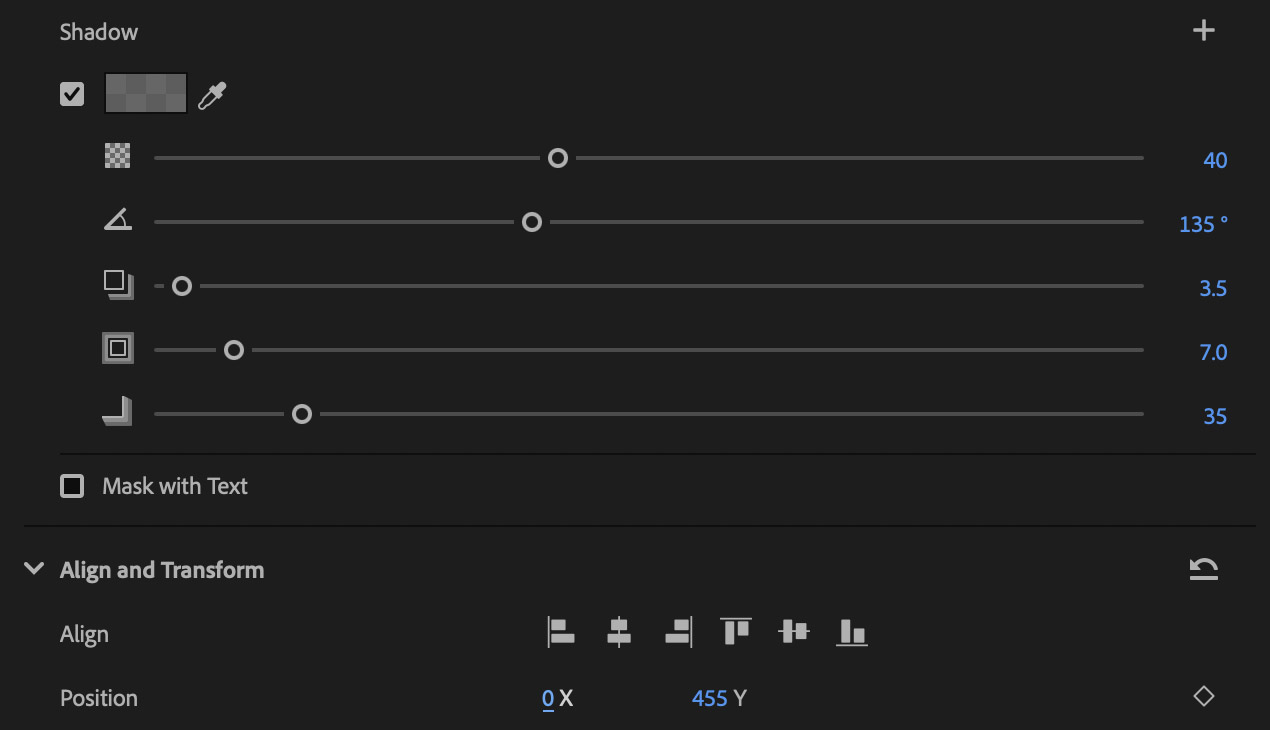
- Appearance: Set the drop shadow to 40%, up to 60% if needed. See the below for additional settings.
- Placement: Middle zone with a Y-axis of 455. Go higher if captions land on talent’s face, but not lower. Note: Make sure captions end before the camera angle changes.
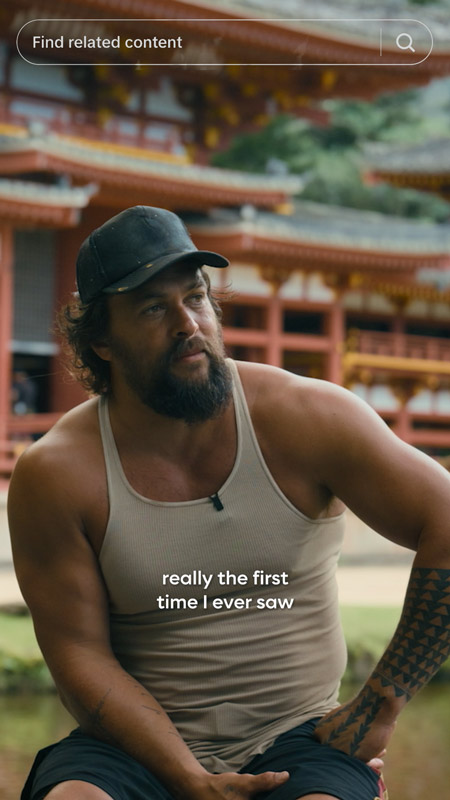
Two Lines vs. One Line
- Keep captions compact. If a caption is long but still fits on one line without running into UI, break the caption into two lines. Make each line as visually even as possible.
- Use your judgment to choose the line break that looks best and reads easiest.
- Never use three lines.
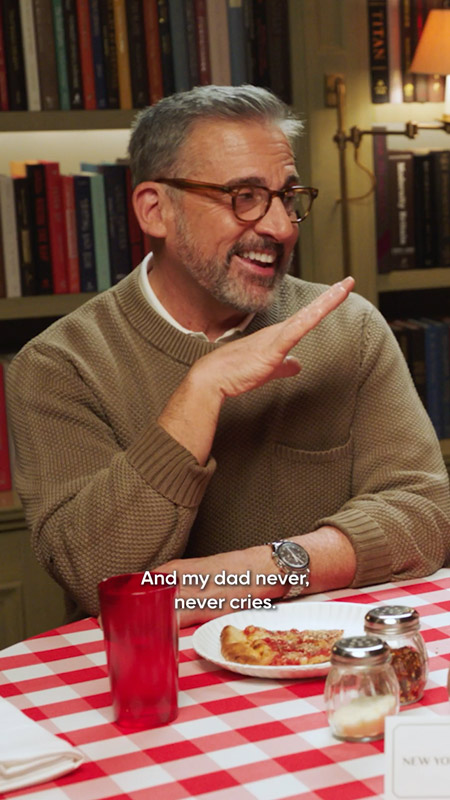
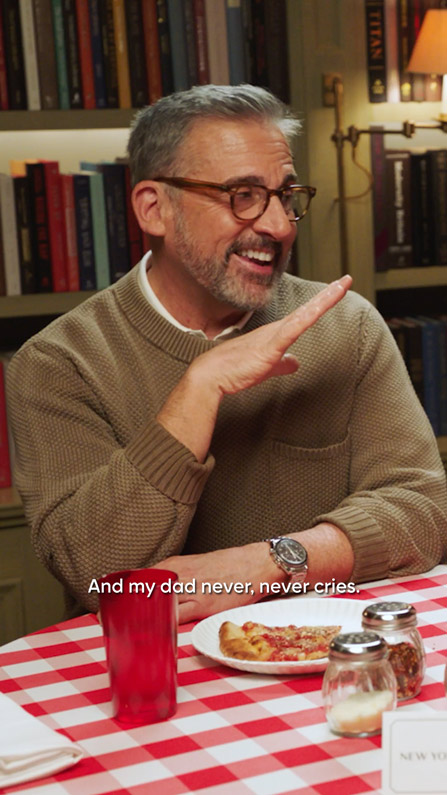
Dash Usage
Use a hyphen (-) at the start of a line when:
- Multiple characters are speaking at once.
- A character speaks off-screen, including interview assets where the interviewer is heard but not seen. For both cases, do not add a space between the hyphen and the first letter.
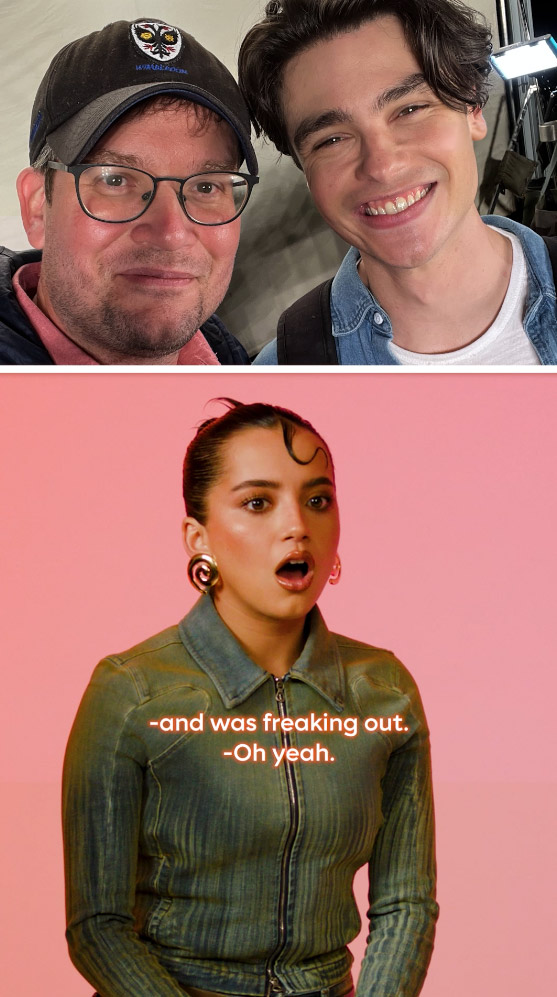
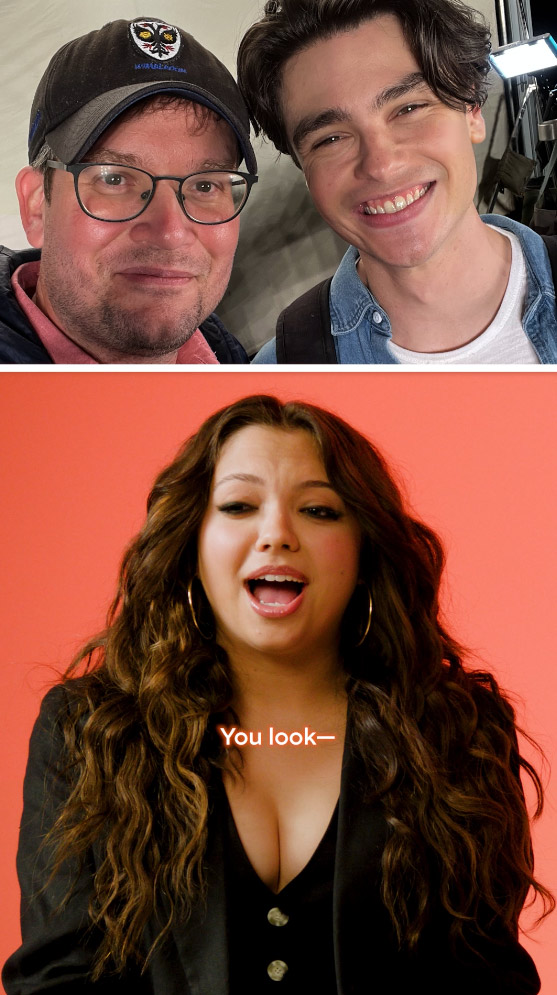
Use an em dash (—) when:
- Dialogue is interrupted by another person or a noise, or when there is a change in thought mid-sentence (common in red carpet and premiere interviews).
- To add an em dash: shift + option + hyphen
- Never use a hyphen for interrupted dialogue.
Music
- For clips featuring music or talent singing, copy and paste the ♪ emoji before and after each line.
- Capitalize the first letter of each line and use commas where necessary, but do not include periods.
For additional guidelines or usage questions, contact: mallory.ziglar@wbd.com
Graphics
Graphics Toolkit
- All working project files for all graphics (e.g., .aep, .ai, .psd, etc.)
- All associated footage files and media need to be linked within the project.
- Texted cards with an alpha, and textless backgrounds separately (unless there is a design reason why the text must be married to the background)
Final Renders
- All final graphic renders as ProRes QuickTime .mov
- Texted cards with an alpha, and textless backgrounds separately (unless there is a design reason why the text must be married to the background)
A/V Callout Sheet
Once your design is locked, you must complete and send the above Callout Sheet for every project prior to the delivery of the final toolkit. Please send via email tomarketinggfx@warnermedia.com or to your respective Graphics Ops contact so they can confirm compliance.
Fonts
Warner Bros. Discovery uses Monotype for all its font needs. For seamless asset delivery, it is crucial to use Monotype fonts (live or outlined) throughout a project. If a Monotype font is not used, please alert your WBD project contact, as early as possible, on how to proceed.
Please make sure that every member of your organization who needs access to our font library has a Monotype account with us. Need an account? Please reach out tofontserveradmins@warnermedia.com.Only individual email addresses. No distribution lists, please.
Plug-Ins / Stock Footage
For any plug-ins or stock footage used within your project, please supply links on the Callout Sheet to where we can purchase. Do not use any free software that cannot be licensed.
Delivery
HBO Aspera on Cloud (Preferred)
- Send video/final spots to DL_Marketing Promo Delivery
- Send graphics toolkits and renders to DL_Marketing GFX
HBO Aspera Faspex
- Send to HBO Marketing Promo Delivery or WME Promo Delivery
Sending VEs
- Please send all VEs in separate Aspera packages to DL_VE PROMO DELIVERY on AOC
If you need to request an Aspera on Cloud account or have any issues, please email MarketingMediaTeam@wbd.com.
