To access the Max Brand Guidelines, view the site on a desktop and adjust the browser window size accordingly.

Color

Color palette

For general purposes in creative development, use this color palette. Color Palette for Product, Dotcom, and Email is a specialized palette that requires approval for usage. Please contact HBOMax_Brand_Team@wbd.com for color guidance.

Primary Colors

Obsidian black and pure white are used in the logos and in display text.

Secondary Colors

Dark slate and medium slate are used in body text and as accent colors.


Tertiary Color
Light slate should be used sparingly.

Primary Colors

Obsidian Black

HEX
RGB
CMYK

#000000
0. 0. 0
60. 40. 40. 100
Copy Hex
#000000

Pure White

HEX
RGB

#FFFFFF
255. 255. 255
Copy Hex
#ffffff

Secondary Colors

Dark Slate

HEX
RGB
CMYK
PMS
#4E505B
78. 80. 91
69. 60. 49. 30
438
Copy Hex
#4E505B

Medium Slate

Copy Hex
#4F6984​
HEX
RGB
CMYK
PMS
#4F6984​
79. 105. 132
74. 52. 30. 10​
2374​

Tertiary Colors

Light Slate

HEX
RGB
CMYK
#8298AB
130. 152. 171
52. 33. 24. 0

Copy Hex
#8298AB

Medium Slate

Copy Hex
#4F6984​
HEX
RGB
CMYK
PMS
#4F6984​
79. 105. 132
74. 52. 30. 10​
2374​

To create the gradient for specific needs, apply the following guidance.

Considerations

  • The size of the radial gradient is created in relation to the size of the composition.
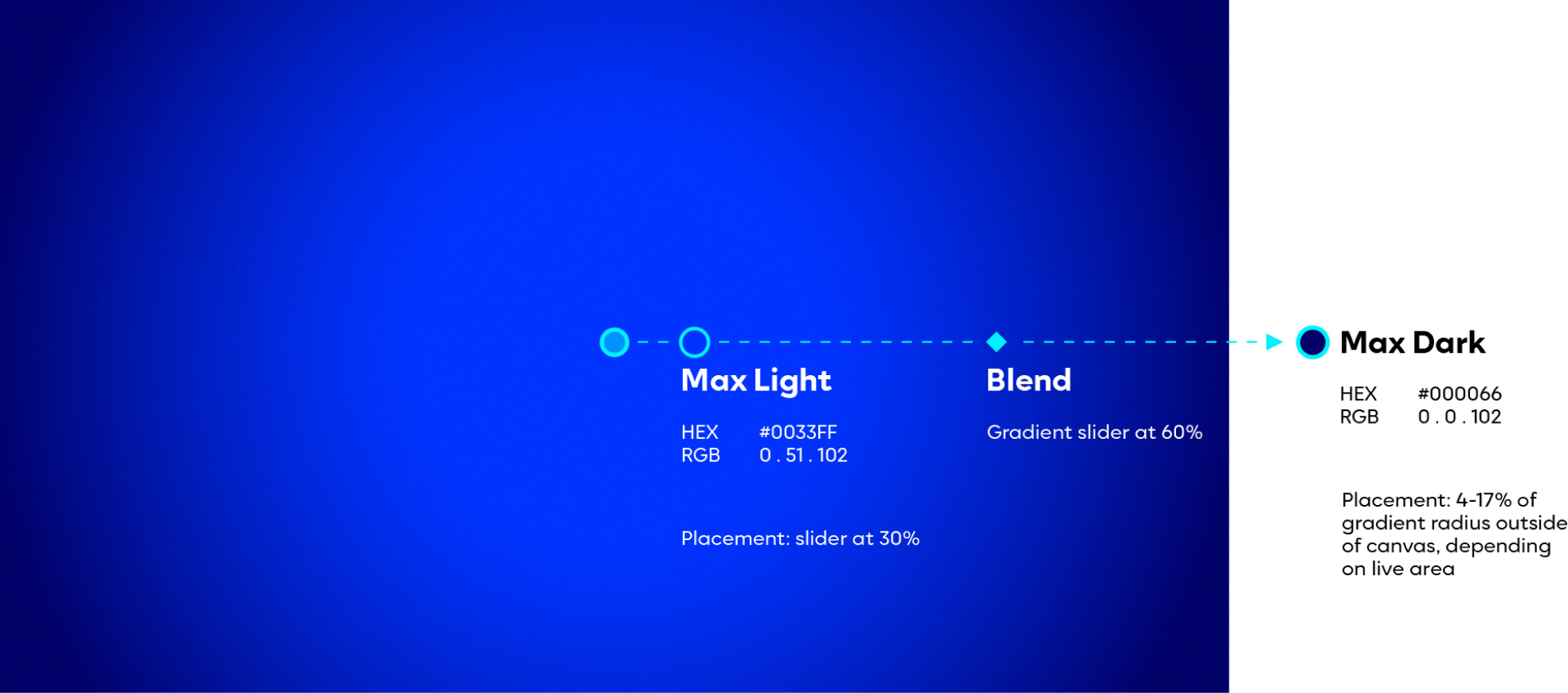
  • Position the center of the gradient slider in the center of the comp. Set Max Light slider at 30%, the blend slider at 60%, and Max Dark slider at 100%. Place Max Dark slider 4%-17% outside of the comp radius, depending on the live area.
  • If recreating the radial gradient, add 2%-5% noise, depending on the size of the asset. 

Radial Use

The radial gradient is to be used as a full frame background, primarily in motion for promos and outros. Refer to the gradient templates for visual consistency.

Linear Gradient

Considerations

  • The size of the linear gradient is in relation to both the size of the spotlight and the size of the composition.
  • It can transition horizontally or vertically, and is used in conjunction with the Max spotlight.

Linear Use

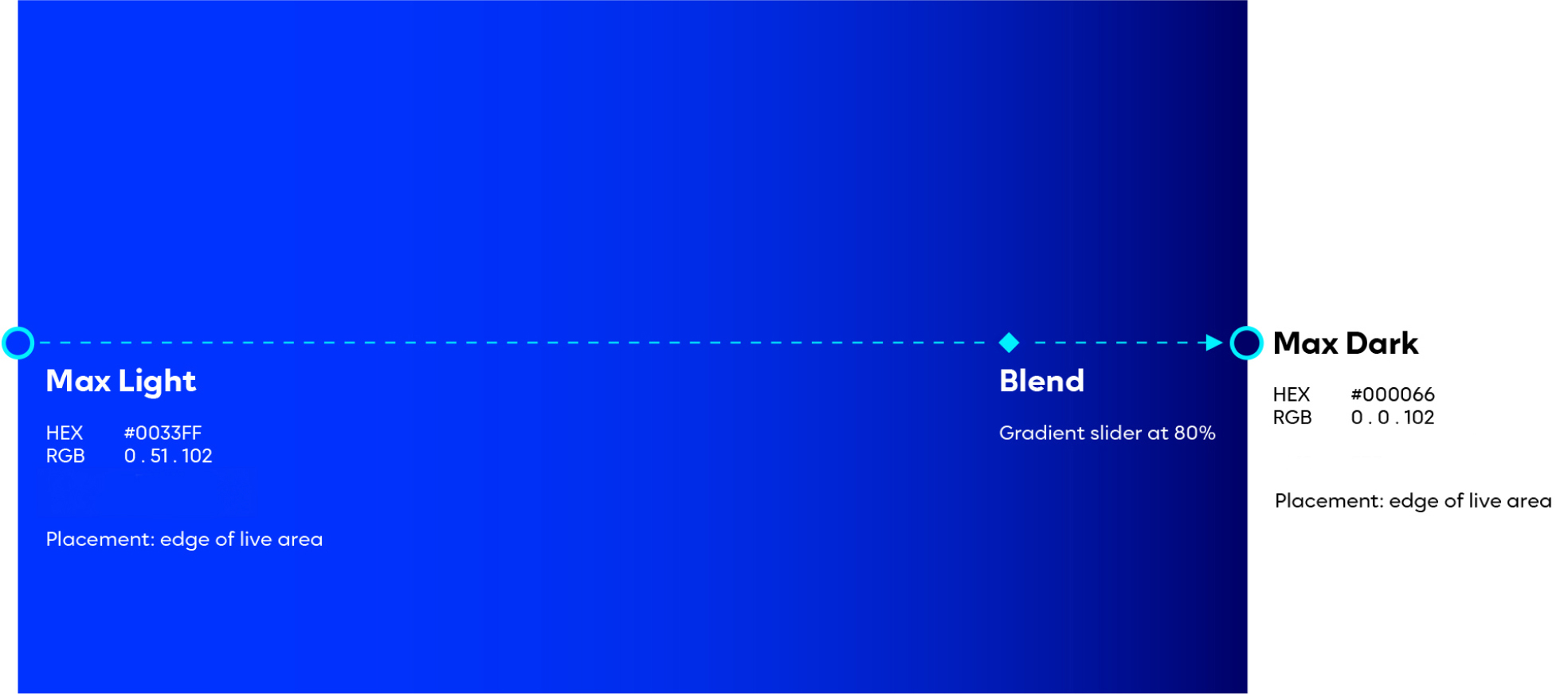
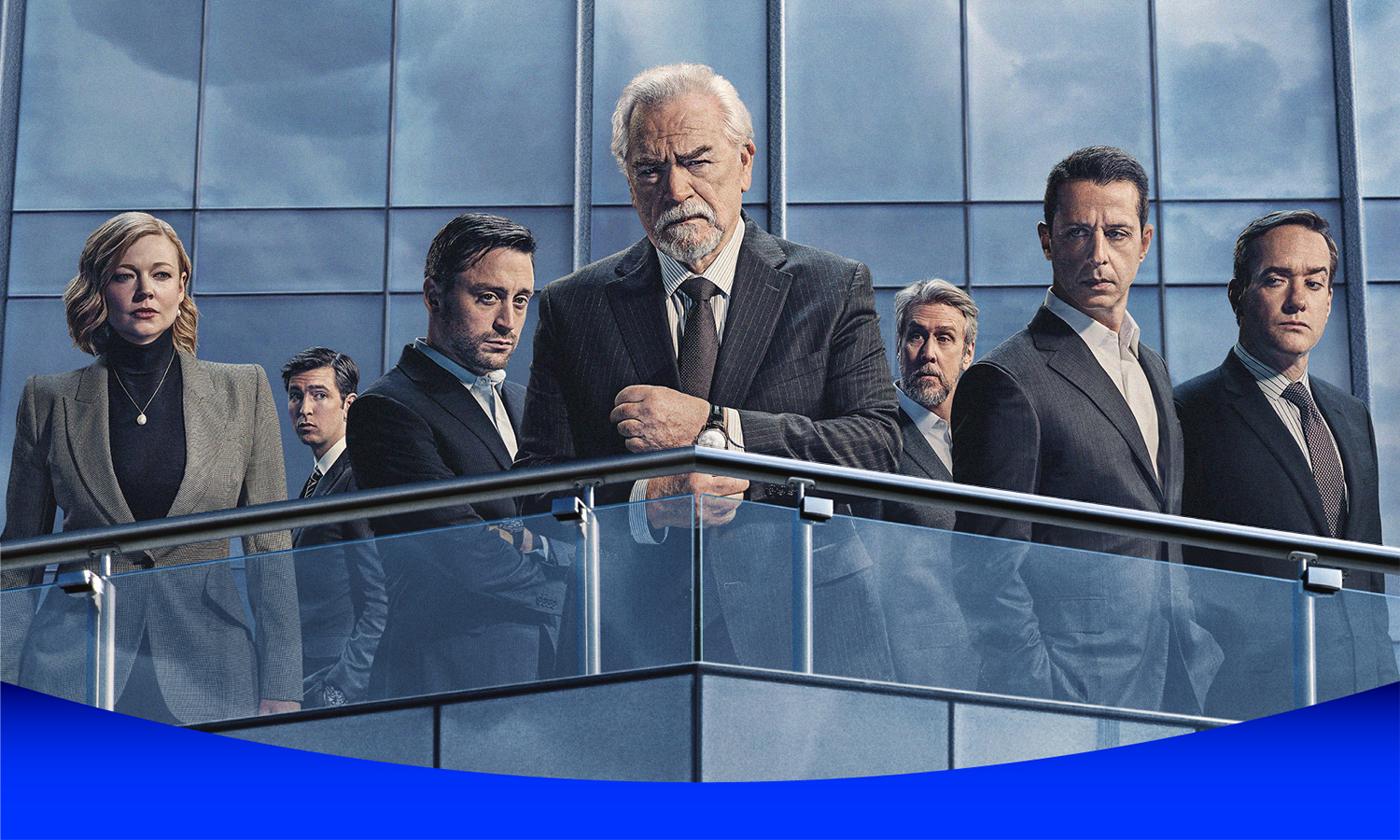
The linear gradient is used primarily in static. It is paired with the Max spotlight — the darkest side always closer to the spotlight.

Image Spotlight: Linear Gradient Under Spotlight
Blue Spotlight: Linear Gradient in Spotlight
White Spotlight: Linear Gradient Under Spotlight

Color palette

For general purposes in creative development, use this color palette. Color Palette for Product, Dotcom, and Email is a specialized palette that requires approval for usage. Please contact HBOMax_Brand_Team@wbd.com for color guidance.

Primary Colors

Obsidian black and pure white are used in the logos and in display text.

Secondary Colors

Dark slate and medium slate are used in body text and as accent colors.


Tertiary Color
Light slate should be used sparingly.

Solid Colors

Obsidian Black

HEX
RGB
CMYK

#000000
0. 0. 0
60. 40. 40. 100
Copy Hex
#000000

Primary

Pure White

HEX
RGB


#FFFFFF
255. 255. 255
Copy Hex
#ffffff

Primary

Dark Slate

HEX
RGB
CMYK
PMS
#4E505B
78. 80. 91
69. 60. 49. 30
438
Copy Hex
#4E505B

Secondary

Medium Slate

Copy Hex
#4F6984​
HEX
RGB
CMYK
PMS
#4F6984​
79. 105. 132
74. 52. 30. 10​
2374​

Secondary

Light Slate

HEX
RGB
CMYK


#8298AB
130. 152. 171
52. 33. 24. 0

Copy Hex
#8298AB

Tertiary

To create the gradient for specific needs, apply the following guidance.

Considerations

  • The size of the radial gradient is created in relation to the size of the composition.
  • Position the center of the gradient slider in the center of the comp. Set Max Light slider at 30%, the blend slider at 60%, and Max Dark slider at 100%. Place Max Dark slider 4%-17% outside of the comp radius, depending on the live area.
  • If recreating the radial gradient, add 2%-5% noise, depending on the size of the asset. 

Radial Use

The radial gradient is to be used as a full frame background, primarily in motion for promos and outros. Refer to the gradient templates for visual consistency.

Linear Gradient

Considerations

  • The size of the linear gradient is in relation to both the size of the spotlight and the size of the composition.
  • It can transition horizontally or vertically, and is used in conjunction with the Max spotlight.

Linear Use

The linear gradient is used primarily in static. It is paired with the Max spotlight — the darkest side always closer to the spotlight.

Image Spotlight: Linear Gradient Under Spotlight
Blue Spotlight: Linear Gradient in Spotlight
White Spotlight: Linear Gradient Under Spotlight

Color palette

For general purposes in creative development, use this color palette. Color Palette for Product, Dotcom, and Email is a specialized palette that requires approval for usage. Please contact HBOMax_Brand_Team@wbd.com for color guidance.

Primary Colors

Obsidian black and pure white are used in the logos and in display text.

Secondary Colors

Dark slate and medium slate are used in body text and as accent colors.


Tertiary Color
Light slate should be used sparingly.

Primary Colors

Secondary Colors

Obsidian Black

HEX
RGB
CMYK

#000000
0. 0. 0
60. 40. 40. 100
Copy Hex
#000000

Pure White

HEX
RGB

#FFFFFF
255. 255. 255
Copy Hex
#ffffff

Dark Slate

HEX
RGB
CMYK
PMS
#4E505B
78. 80. 91
69. 60. 49. 30
438
Copy Hex
#4E505B

Medium Slate

Copy Hex
#4F6984​
HEX
RGB
CMYK
PMS
#4F6984​
79. 105. 132
74. 52. 30. 10​
2374​

Tertiary Colors

Light Slate

HEX
RGB
CMYK
#8298AB
130. 152. 171
52. 33. 24. 0

Copy Hex
#8298AB

Pure White

HEX
RGB

#FFFFFF
255. 255. 255
Copy Hex
#ffffff

Dark Slate

HEX
RGB
CMYK
PMS
#4E505B
78. 80. 91
69. 60. 49. 30
438
Copy Hex
#4E505B

Medium Slate

Copy Hex
#4F6984​
HEX
RGB
CMYK
PMS
#4F6984​
79. 105. 132
74. 52. 30. 10​
2374​

To create the gradient for specific needs, apply the following guidance.

Considerations

  • The size of the radial gradient is created in relation to the size of the composition.
  • Position the center of the gradient slider in the center of the comp. Set Max Light slider at 30%, the blend slider at 60%, and Max Dark slider at 100%. Place Max Dark slider 4%-17% outside of the comp radius, depending on the live area.
  • If recreating the radial gradient, add 2%-5% noise, depending on the size of the asset. 

Radial Use

The radial gradient is to be used as a full frame background, primarily in motion for promos and outros. Refer to the gradient templates for visual consistency.

Linear Gradient

Considerations

  • The size of the linear gradient is in relation to both the size of the spotlight and the size of the composition.
  • It can transition horizontally or vertically, and is used in conjunction with the Max spotlight.

Linear Use

The linear gradient is used primarily in static. It is paired with the Max spotlight — the darkest side always closer to the spotlight.

Image Spotlight: Linear Gradient Under Spotlight
Blue Spotlight: Linear Gradient in Spotlight
White Spotlight: Linear Gradient Under Spotlight